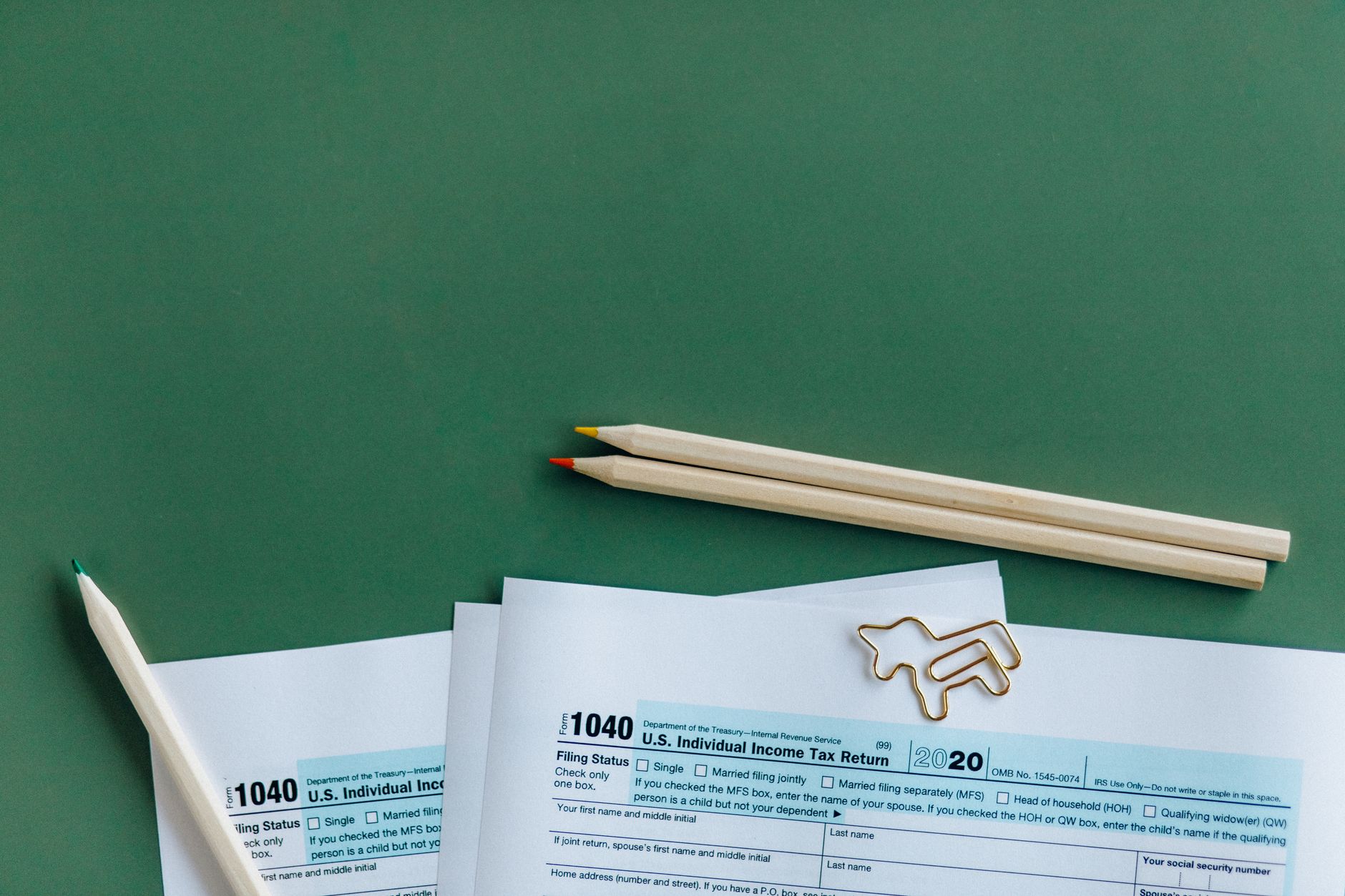
File Taxes Free With IRS Direct File: Complete 2026 Guide
The IRS Direct File program has changed the game for millions of American taxpayers: you can now file your federal tax return completely free, directly through the IRS website, without paying for software or hiring a professional. Launched as a pilot program in 2024 and expanding significantly in 2026, this free service eliminates one of the biggest barriers to tax compliance. If you've been paying $100–$300 annually for tax software like TurboTax or H&R Block, it's time to learn about a better option.
Related reading: For related context, see Crypto Tax Guide 2026: IRS Rules and How to File. For related context, see Tax Loss Harvesting Explained for Normal Investors.
This comprehensive guide walks you through eligibility requirements, setup steps, and real-world filing scenarios so you can confidently use IRS Direct File for your 2026 taxes.
What Is IRS Direct File?
IRS Direct File is the Internal Revenue Service's official, completely free tax filing platform that allows eligible taxpayers to prepare and e-file their federal income tax returns online. Unlike third-party tax software companies that charge fees, the IRS Direct File service costs nothing—not now, not ever.
The program is managed directly by the IRS and operates through IRS.gov, the government's official tax website. When you file through Direct File, your return is transmitted securely to the IRS using the same encryption and security standards as commercial tax software. You receive immediate confirmation of filing and can track your refund status in real-time.
The IRS created this service to reduce barriers to filing taxes accurately and on time. According to the IRS, approximately 60% of American taxpayers are eligible for some form of free filing, yet many still pay for commercial software out of habit or lack of awareness. IRS Direct File directly addresses this gap by offering a government-backed alternative with zero cost, zero upselling, and zero hidden fees.
Who Is Eligible for IRS Direct File in 2026?
Not every taxpayer can use IRS Direct File—eligibility is based on income, filing status, and type of income. Here's who qualifies:
Income Limits For the 2026 tax year (filed in 2027), you're eligible if your adjusted gross income (AGI) is $79,000 or less. This threshold covers roughly 70% of American taxpayers. If your income exceeds this limit, you'll need to use a commercial tax software provider or hire a professional.
Filing Status Requirements You must have one of these filing statuses:
- Single
- Married Filing Jointly
- Head of Household
- Qualifying Widow(er)
Note: Married Filing Separately taxpayers are not eligible for Direct File.
Acceptable Income Sources Your income must come primarily from these sources:
- W-2 wages (from employment)
- Interest and dividend income
- Capital gains (both long-term and short-term)
- Social Security benefits
- Unemployment compensation
- Retirement distributions (1099-R income)
- Self-employment income up to specific thresholds
Who Cannot Use Direct File You're ineligible if you:
- Have business income requiring Schedule C
- Claim dependents (as of 2026)
- Have complex deductions or credits
- Received certain tax credits like the Earned Income Tax Credit (EITC) or Child Tax Credit
- Have rental or investment property income
- Are claiming education credits
- Have passive income from partnerships or S-corporations
The good news: the IRS plans to expand Direct File eligibility each year. By 2027 or 2028, dependent claims and additional credits should be supported.
How to Set Up Your IRS Direct File Account
Setting up Direct File takes about 10 minutes. Here's the step-by-step process:
Step 1: Verify Your Identity Online
Before filing, you must prove your identity to the IRS using one of two methods:
Secure Identity Verification (Recommended) Visit IRS.gov and select "Verify Your Identity." You'll need:
- Your Social Security Number
- Date of birth
- Mailing address
- Valid government-issued ID (driver's license, passport, or state ID)
The IRS uses third-party verification services to confirm your identity in real-time. This process typically takes 5–10 minutes.
Alternative: Expedited Authentication If online verification fails, you can:
- Call the IRS at 1-800-829-1040
- Visit a local IRS office
- Use ID.me (a trusted government ID verification service)
Step 2: Gather Your Tax Documents
Before you start filing, collect these documents:
- W-2 forms from your employer(s)
- 1099 forms (interest, dividends, capital gains, freelance income)
- Bank statements for interest earned
- Last year's tax return (for reference)
- Social Security statement (if claiming benefits)
- Proof of health insurance (Form 1095-B)
Pro Tip: Create a folder on your computer or use a service like Google Drive to organize digital copies of all documents. This saves time when answering detailed questions during the filing process.
Step 3: Access IRS Direct File
Once your identity is verified, you can access Direct File through your IRS account. Log in at IRS.gov and select "File Your Taxes" or navigate directly to the Direct File portal.
Step 4: Answer the Questionnaire
Direct File uses an interview-style questionnaire. You'll answer questions about:
- Filing status
- Personal information (name, address, dependents if supported in 2026+)
- Employment income
- Investment income
- Tax credits and deductions you're claiming
- Refund preferences (direct deposit or check)
The questionnaire is adaptive—it only asks questions relevant to your situation. If you report no investment income, it won't ask about capital gains.
Comparing IRS Direct File to Other Free Filing Options
The IRS offers multiple free filing methods. Here's how Direct File stacks up:
| Feature | IRS Direct File | IRS Free File* | Tax Software (TurboTax, H&R Block) | Paid Professional |
|---|---|---|---|---|
| Cost | Free | Free | $0–$299 | $200–$500+ |
| Income Limit | $79,000 | Varies by partner (usually $56,000–$79,000) | None | None |
| Support Available | Email, phone | Partner's support | Phone, chat, email | Direct contact |
| Time to File | 20–30 minutes | 30–45 minutes | 30–60 minutes | Depends on complexity |
| Dependency Support (2026) | Coming soon | Some partners support | Full support | Full support |
| Self-Employment Income | Limited support | Limited support | Full support | Full support |
| Business Schedule C | Not supported | Not supported | Supported | Supported |
*IRS Free File is a partnership between the IRS and commercial software companies. Eligible taxpayers can file free returns through companies like TurboTax Free, H&R Block Free, and others.
Step-by-Step: Filing Your 2026 Taxes With Direct File
Phase 1: Pre-Filing Checklist (Before You Log In)
- Verify identity online (5–10 minutes) — Complete before starting your return
- Gather all tax documents — W-2s, 1099s, bank statements, last year's return
- Find your information — Social Security numbers, employer information, income amounts
- Choose your refund method — Direct deposit (recommended; arrives in 5–8 business days) or paper check (2–4 weeks)
Phase 2: Filing Your Return (20–30 minutes)
Section A: Personal Information
- Name and current address
- Social Security number and date of birth
- Filing status
Section B: Income
- W-2 wages: Enter employer name, income, and taxes withheld
- Interest and dividends: Enter amounts from 1099s
- Capital gains: Report both long-term and short-term gains/losses
- Other income: Unemployment, Social Security, retirement distributions
Section C: Deductions
- Standard deduction (automatically calculated based on filing status and age)
- Itemized deductions (if applicable and supported)
Section D: Credits
- Dependent-related credits (coming in 2027)
- Other credits for eligible taxpayers
Section E: Review and File
- Review entire return for accuracy
- Certify that information is correct
- Choose transmission method (e-file immediately or schedule for later)
- Receive confirmation number
Phase 3: After Filing
Confirmation and Tracking You'll receive an immediate confirmation number showing your return was accepted by the IRS. Save this number for your records.
Within 24 hours, you can check your filing status through "Where's My Return?" on IRS.gov. If filing jointly, both spouses can check the status using their Social Security numbers.
Refund Status If eligible for a refund, the IRS typically processes Direct File returns within 14–21 business days for direct deposit. Track your refund status:
- Visit IRS.gov/refunds
- Use the "Where's My Refund?" tool
- Enter Social Security number, filing status, and refund amount
- Check status up to 3 times per day
Real-World Filing Scenarios
Scenario 1: Single W-2 Earner
Profile: Sarah, age 28, single, earns $52,000 annually as a marketing coordinator.
Documents needed:
- W-2 from employer (showing $52,000 income, $6,200 tax withheld)
- 1098-T education form (if applicable)
Direct File process:
- Verify identity online (5 minutes)
- Enter W-2 information (3 minutes)
- Confirm standard deduction ($14,800 for single filers in 2026)
- Review return (2 minutes)
- E-file (1 minute)
Expected outcome: Direct File likely shows a refund of $400–$600 (depending on exact withholding). Refund arrives in 14–21 days via direct deposit.
Time saved vs. TurboTax Free: 10–15 minutes, $0 cost (TurboTax's free version also costs nothing, but requires navigating ads and upsells).
Scenario 2: Married Couple With Investment Income
Profile: James and Patricia, both 55, married filing jointly, combined W-2 income of $72,000 plus $8,000 in dividend income.
Documents needed:
- Two W-2 forms (combined $72,000, $8,640 withheld)
- 1099-DIV from brokerage account ($8,000 dividends)
- Proof of filing status (marriage certificate if filing online for first time)
Direct File process:
- Verify identity (one spouse verifies; other spouse can use same account)
- Enter both W-2 incomes (5 minutes)
- Enter dividend income from 1099-DIV (2 minutes)
- Confirm standard deduction ($31,050 for married filing jointly, 2026)
- Review and file (3 minutes)
Expected outcome: Combined AGI of $80,000, which exceeds the $79,000 limit by $1,000. James and Patricia are ineligible for Direct File; they must use another method.
Alternative: Use IRS Free File (through a partner) or purchase commercial software.
Scenario 3: Self-Employed Freelancer
Profile: Marcus, 35, single, earned $45,000 in freelance income (less than $400 net after business expenses).
Documents needed:
- Bank statements showing freelance income
- Expense records (office supplies, equipment, internet)
- 1099-NEC from clients (if clients issued them)
Direct File eligibility issue: Direct File's support for self-employment income is limited in 2026. If Marcus's net self-employment income exceeds $400, he must file Schedule C, which Direct File doesn't support.
Solution: Use IRS Free File (VITA program) or hire a CPA ($300–$500 to file correctly and ensure Marcus pays correct self-employment taxes).
Practical Tips for Using IRS Direct File Successfully
Tip 1: Verify Your Identity Early
Don't wait until April 14th to verify your identity. Identity verification can take 5–10 minutes, but if there are hiccups, the process can delay filing. Verify in February or early March to have time to resolve issues.
Tip 2: Double-Check W-2 Information
Before filing, confirm W-2 amounts with your employer or account portal. Errors on W-2s cause processing delays. If you notice an error before filing, ask your employer to issue a corrected W-2 (Form W-2c).
Tip 3: Claim Direct Deposit
Choosing direct deposit gets your refund 5–8 business days faster than waiting for a paper check. Have your bank account number and routing number ready when filing.
Tip 4: Keep Your Confirmation Number Safe
Your e-file confirmation number proves you filed on time. Save it in multiple places—email it to yourself, print it, or write it down. If the IRS ever claims you didn't file, this number is your proof.
Tip 5: Review Your Return Before Hitting "File"
Direct File's review page shows your complete return in a clear format. Spend 2–3 minutes checking every line for typos, incorrect amounts, and missing information. It's much easier to fix before filing than to amend later.
Tip 6: Don't Claim Dependents Yet (2026)
In 2026, Direct File doesn't fully support dependent claims and related credits (Child Tax Credit, Earned Income Tax Credit). If you have dependents, use IRS Free File or commercial software. This limitation should be lifted by 2027.
Tip 7: Plan for Extensions If Filing Complexity Increases
If you realize mid-filing that your situation is too complex for Direct File, you can stop at any time and switch to another method. You won't lose any progress; the IRS won't have received anything until you complete and transmit your return.
Common Issues and How to Resolve Them
Issue 1: Identity Verification Fails
Cause: Mismatched information (name, address, or date of birth doesn't match IRS records).
Solution:
- Verify the information is correct in the IRS system
- If you recently moved, update your address on IRS.gov
- Use alternative verification (ID.me, in-person at IRS office, or phone)
- Wait a few days and try again
Issue 2: Your Income Exceeds the $79,000 Limit
Cause: Your AGI is above the Direct File threshold.
Solution:
- Use IRS Free File through a partner
- Purchase commercial software ($50–$120 for standard returns)
- Visit a VITA site (Volunteer Income Tax Assistance) for free professional filing
Issue 3: Missing Tax Documents
Cause: You're expecting a 1099 or W-2 that hasn't arrived yet.
Solution:
- Check the issuer's online account portal (payroll system, brokerage, etc.)
- Contact the issuer directly if the deadline has passed
- File without the missing document if you have all other documents (you can amend later if needed)
- Request a duplicate or corrected form
Issue 4: Unsupported Credit or Deduction
Cause: Direct File doesn't support a specific tax credit or deduction you're entitled to.
Solution:
- Use IRS Free File instead
- Consult with a tax professional
- File what you can through Direct File, then amend (Form 1040-X) after the fact to claim additional credits
FAQ: IRS Direct File and Free Tax Filing
Q: Is IRS Direct File safe? Could my information be stolen? A: Yes, IRS Direct File is completely safe. The IRS uses the same 256-bit encryption standard that banks use. Your information is transmitted over secure servers and stored in encrypted databases. The IRS has a zero-breach record with Direct File since its 2024 launch. If you're worried about your identity, consider monitoring your credit report through Equifax, Experian, or TransUnion and signing up for free credit monitoring.
Q: Can I use IRS Direct File if I'm self-employed? A: Limited support in 2026. If your net self-employment income is less than $400, you don't need to file Schedule C and may be eligible. If your net income exceeds $400, you must file Schedule C, which Direct File doesn't support. For self-employed filers, use IRS Free File or hire a CPA. Self-employment income also requires paying self-employment tax (Social Security and Medicare), which a professional can help calculate correctly.
Q: Do I need to file a separate state return if I use IRS Direct File? A: Yes. IRS Direct File only handles federal taxes. For state income taxes, use your state's official filing system, a commercial software provider that includes state filing, or a tax professional. Some states (Alaska, Florida, Nevada, South Dakota, Tennessee, Texas, Washington, Wyoming) have no state income tax, so you only need to file federally. Contact your state's Department of Revenue for specific requirements.
Q: How long does it take to get my refund through IRS Direct File? A: If you choose direct deposit, the IRS typically processes refunds within 14–21 business days. If you choose a paper check, allow 2–4 weeks. The timeline assumes no errors on your return and no identity verification issues. You can check your refund status using "Where's My Refund?" on IRS.gov up to 3 times per day.
Q: What if I file through Direct File and later realize I made a mistake? A: You can file an amended return (Form 1040-X) after the original return is processed. Amendments typically take 8–12 weeks to process. If your error results in owing more taxes, you'll receive a bill plus interest and penalties (if applicable). If the error means you're owed more, file the amendment to claim your additional refund.
Q: Can my spouse file their return separately if I use IRS Direct File? A: Yes, but only if you're filing separately (Married Filing Separately). Direct File supports MFS filing, though it's rarely tax-advantageous. You cannot use Direct File to file jointly and have your spouse file separately—you must file jointly or both file separately. If you're married, filing jointly almost always saves more money due to tax bracket advantages.
Q: Is there a deadline to file with IRS Direct File? A: No. The deadline is the same whether you use Direct File, commercial software, or a professional: April 15, 2027 for the 2026 tax year. File early to avoid last-minute errors and get your refund faster. If you can't file by April 15, you can request an automatic 6-month extension using Form 4868.
Q: What if Direct File says I'm ineligible? What are my alternatives? A: You have three options:
- IRS Free File Program — Partner companies (TurboTax, H&R Block, etc.) offer free filing for incomes under $79,000. Visit IRS.gov/freefile to find your provider.
- VITA Program — Volunteer Income Tax Assistance sites, run by nonprofits and the IRS, offer free filing for income under $64,000. Find a site at IRS.gov/vita.
- Professional Tax Preparation — CPAs and enrolled agents charge $200–$500+ to prepare and file returns, but they can handle complex situations (business income, investments, multiple states).
Differences for International Readers (Canada, UK, Australia)
This guide is specific to the United States tax system and IRS procedures. If you're a Canadian, UK, or Australian reader:
- Canada: Use CRA's free software partnerships (Certified Community Volunteer Program) or NetFile through an approved provider
- UK: Use HMRC's free online self-assessment system or registered agents
- Australia: Use the ATO's free tax software (myTax) or registered tax agents
Each country has different income thresholds, tax rates, and filing deadlines. Consult your country's tax authority for accurate guidance.
The Bottom Line
IRS Direct File is a legitimate, secure, and completely free way to file your federal taxes if your income is under $79,000 and your tax situation is straightforward. With support for W-2 wages, investment income, and some tax credits, Direct File eliminates the need to pay for expensive commercial software—potentially saving you $100–$300 annually. Set aside 30 minutes, verify your identity early, gather your tax documents, and you'll have your return filed and a confirmation number in hand. If you're ineligible, the IRS Free File program and VITA sites offer other zero-cost alternatives. Start your 2026 tax filing with IRS Direct File at IRS.gov today—your refund is waiting.